Hey, this is Golam. Welcome to my AppLab review.
Almost every business owner I know has had the same thought: “I wish I had my own app.” A booking tool for your clients. A small tool you could sell every month. An app that does the one job your current software almost does.
Then the dream hits the same wall. Hiring a developer costs thousands. Learning to code takes months or years. And the new AI app builders? They open with an empty box and wait for you to type the perfect words. Most people do not know what to type, so they close the tab and give up.
AppLab removes that wall. You answer simple questions, one at a time. AppLab plans the whole app with you, picks ready-made parts for it, and gives your AI builder exact numbered prompts to follow. The builder does all the typing. You end up with a real, working app — sign-in, database, payments and your own admin panel — on your own domain.
AppLab launches on Cyber Monday, 30 November 2026, with a free live reveal where creator Craig Crawford builds one idea into a working app on screen, in minutes. Below: what AppLab is, who created it, how it works, what it costs, and who it is best for — so you can decide before the offer ends on 6 December.
Introduction
Businesses pay a lot for software. You pay every month for tools that almost fit the way you work: a booking tool that does not match your hours, a client portal that looks like someone else’s, a dashboard that shows everything except the one number you need.
Building your own app used to mean two hard choices. Pay a developer thousands of dollars, or spend months learning to code. Most small business owners can do neither, so they keep paying for tools that almost fit.
Then AI app builders like Lovable and Bolt arrived, and they truly can build real apps. But they have one big problem for beginners: they start with an empty box. If you do not know what to ask for, in what order, and how to check the result, you get stuck fast. Knowing what to build is the hard part — not the typing.
That is the exact gap AppLab fills. It does the thinking with you: one simple question at a time, a check that your idea stands up, then the exact instructions for your AI builder, in the right order. Your builder does every bit of the typing. You never write code. And the result is a real web app — sign-in, a members area, a database, payments through Stripe or PayPal, and an owner admin panel — on your own domain, with the money going into your bank account.
What Is AppLab?
AppLab is the main tool inside FrankenApp, a new platform created by Craig Crawford. Its job is simple to say: it turns your idea into a real, working software app, even if you have never built anything before.
In short: you tell AppLab your idea — or, if you do not have one yet, tap a button and it helps you find one. AppLab asks one simple question at a time and checks the idea makes sense before you build anything. Then it plans your whole app: screens, steps, and the parts it needs.
Your app is planned from 1,500+ ready-made parts and starter kits for whole apps — pieces like sign-in, bookings, payments, dashboards and AI features that almost every app needs, already made for you. The vendor says that once you shortlist the parts that fit your app and pick five of them, there are over 658,000 different combinations, so your app does not have to look like anyone else’s.
When the plan is ready — a full plan can be ready in about a minute, per the vendor — AppLab gives you numbered prompts. You paste them into the AI builder you like: Lovable, Bolt, v0, Replit, Claude, Codex, Cursor or Emergent. The builder writes the code, step by step, while the checklist helps you check each step.
So AppLab is not one more empty AI box. It is the planner, the parts shelf, the step-by-step guide and the launch teacher in one place. Use your app in your own business, or sell it: charge a monthly fee, or build apps for clients.
AppLab Overview
| Product | AppLab (AppLab Coder) — the main tool inside the FrankenApp platform |
| Creator | Craig Crawford |
| Launch Partner | Firas Alameh |
| What It Does | Plans your app with you, then gives your AI builder exact numbered prompts to build it — no coding needed |
| Works With | Lovable, Bolt, v0, Replit, Claude, Codex, Cursor, Emergent |
| What You Get | A real web app with sign-in, database, payments and an owner admin panel, on your own domain |
| Price | Personal license $47 or Agency license $67 (launch-week special) |
| Free Live Reveal | Cyber Monday, 30 November 2026, 10 AM ET |
| Cart Opens | 30 November 2026, 11 AM ET |
| Launch Offer Ends | 6 December 2026, 11:59 PM ET |
| Official Website | Visit AppLab Official Website Here |
✅ Visit AppLab Official Website Here ►
Who Created AppLab?
When a product is brand new, the people behind it matter a lot. So let me introduce them properly.

Craig Crawford — Creator Of AppLab
Craig Crawford is the creator and co-founder of AppLab. He has nearly 15 years of experience in building software, marketing and affiliate marketing. In that time he has launched more than 100 products across software, courses and PLR, generated over $10 million in career sales, and served more than 55,000 customers — strong numbers that tell you this is not a first-time seller hoping for the best.
Craig is also deeply connected to the AI builder world. AppLab’s plans and kit parts are tested in Lovable, the builder he uses every day. He is a Certified Lovable Solution Partner, sits in the top 10% of Lovable builders, and is one of only about 60 people inside Lovable’s private mobile beta. In simple words: the man teaching you to build apps with AI is one of the people the biggest AI builder trusts most.
Firas Alameh — Launch Partner
Running this launch with Craig is Firas Alameh, a well-known and experienced JVZoo vendor. The JVZoo listing names both men as the sellers, and Firas handles the launch side — partners, contests and launch-week events. A good mix: a builder with 15 years of shipping software, and a launch partner who has run big launch weeks many times.
How Does AppLab Work?
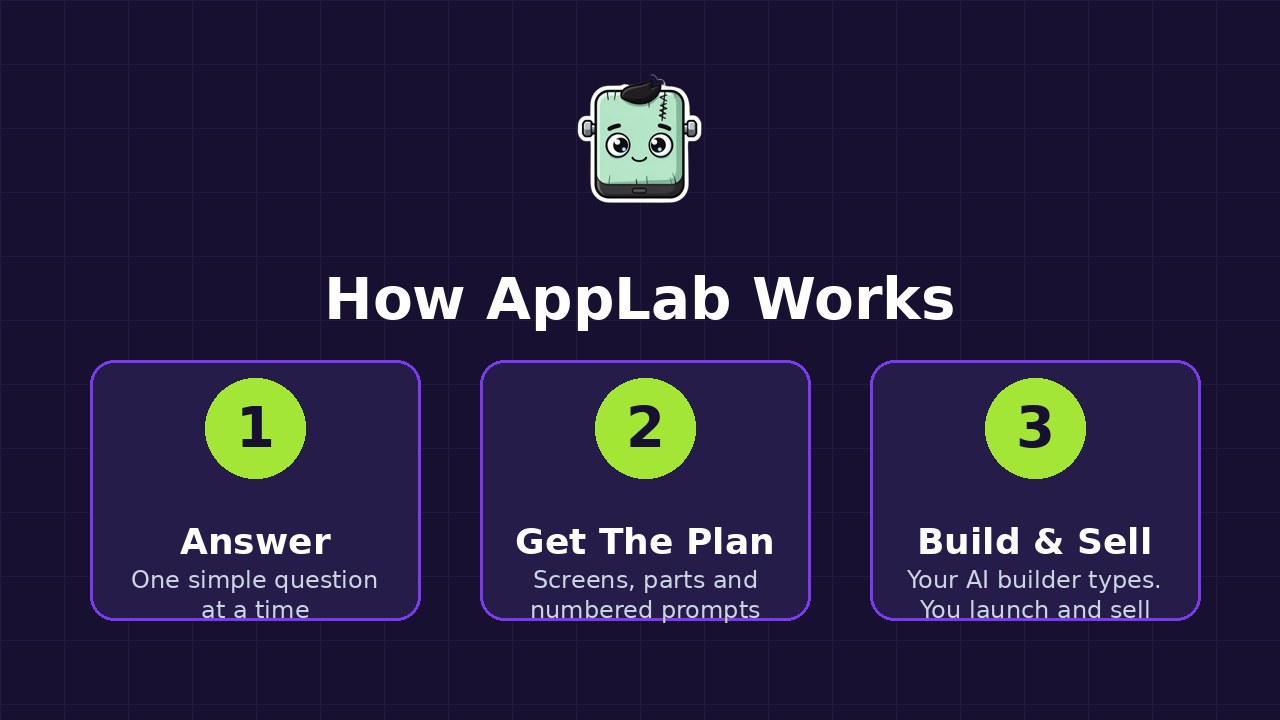
The whole system is built around one kind idea: you should never face an empty page or an empty box. Here is the full path.
Step 1: Start From Anywhere
Start one of three ways: type your own idea, give AppLab your website or business and let it suggest ideas, or tap a button and let it pick with you.
Step 2: Answer One Question At A Time
The guided intake asks simple questions, one at a time — never a long, scary form. As you answer, it checks your idea stands up: Is it clear? Does it solve a real problem? Can it be built?
Step 3: Get Your Full App Plan
AppLab plans the whole app: screens, steps, and the parts it needs. The vendor says a full plan can be ready in about a minute — you see what your app will be before any code exists.
Step 4: Pick Your Ready-Made Parts
Your plan uses the kit shelf: 1,500+ ready-made parts and starter kits for whole apps. Sign-in, bookings, payments, dashboards, member areas, AI features — the common pieces are already made and ready to drop in.
Step 5: Paste The Numbered Prompts
AppLab turns your plan into numbered prompts, in the exact right order. You paste them into your AI builder — Lovable is Craig’s pick, with a free plan to start — and the builder writes the code. In the vendor’s demo build of a trip-planning app: 22 prompts, just 15 copy-pastes.
Step 6: Check Each Step As It Is Done
Your build follows a clear checklist — the demo build had 21 steps — each checked and ticked off, with automated tests showing PASS results as the app comes together.
Step 7: Publish, Launch And Sell
When the build is done, you publish your app on your own domain. Then the launch playbook takes over: domain, hosting, Stripe payments, and your first customers.
✅ Visit AppLab Official Website Here ►
AppLab Key Features
Guided Idea Intake
Most people fail before they start because they are not sure their idea is good. AppLab’s intake finds your idea with you — from your head, your website, or a button tap — and checks it stands up first.
1,500+ Ready-Made Parts And Starter Kits
The kit shelf is the heart of AppLab: 1,500+ ready-made parts — sign-in, member areas, bookings, payments, dashboards, admin panels, AI features — plus starter kits for whole apps, so you begin from a proven shape, not a blank page.
Numbered Prompt Packs
This feature fixes the “empty box” problem. AppLab writes the exact prompts your builder needs, numbers them, and puts them in the right order. No prompt tricks to learn: copy, paste, tick the step off.
A Real App, Not A Landing Page
An AppLab build is real software: user sign-in, a members area, a database for your users and data, payments through Stripe, PayPal and more, and an owner admin panel to run everything from day one. It looks right on phones and lives on your own domain.
Works With The Builder You Like
AppLab is built around Lovable, where every plan and kit part is tested. But you are not locked in: the same plans work in Bolt, v0, Replit, Claude, Codex and Cursor, Emergent can build your plan as a phone app, and you can connect ChatGPT to plan and pick kits with you. Comparing AI tools? See my Best AI Models review.
The Launch Playbook
Building an app is half of a software business; launching it is the other half. AppLab includes a step-by-step launch playbook — domain, hosting, Stripe, first customers — plus real training on how to sell what you built.
Tools That Help You Sell Your App
Inside the wider lab: the Marketing Hub writes emails, posts, pictures and store listings from your own app; the Reel Maker creates short promo videos in the page, using no credits; pitch pages give you a client sales page with pay and book buttons; and the Agency Hub lets you sell builds under your own name. Like AI content tools? See my AI Video Editing Studio review.
Points, Prizes And Extra Builds
AppLab makes the journey fun with points for real steps: saving your seat, watching the live show, buying, building your first app, finishing plan steps, checking in daily. Reach 500 points to unlock an extra app build free.
The Wider FrankenApp Lab
Four more tools are coming soon: Native Forge (your web app as a native iOS/Android store app), Big Screen Studio (your own TV channel on 10+ platforms), Traffic Lab (Search Console data turned into pages people search for), and Insight Engine (session replay showing what users really do in your app).
3 Ways To Make Money With AppLab
An app is only useful if it helps your business. Here are the three main paths AppLab is built for.
1. Build Apps For Clients
Local businesses, coaches, creators and online sellers all need small custom apps, and they are used to paying good money for them. With AppLab doing the planning and your builder doing the typing, you can offer app builds as a service — even without a coding background. The Agency license, Agency Hub and pitch pages exist exactly for this path.
2. Replace The Tools You Pay For Every Month
Add up what leaves your account each month for tools that almost fit: the CRM, the booking tool, the client portal, the dashboard. With AppLab you can build the one tool that fits your business exactly — and own it, with no monthly rent for software that is 80% right. For many owners, this path alone pays for AppLab many times over. My Domain Deck review covers a similar own-it idea.
3. Sell Access To Your App, Monthly
This is the software model itself: build one good app, then charge a monthly fee to use it. AppLab’s own examples show the idea clearly — a Bedtime Story Maker, a Coloring Page Generator, a Kindle Book Planner, an Activity Book Builder. Perfect for book and PLR creators tired of selling low-price packs: build the generator once, brand it yours, charge monthly through Stripe or PayPal. See also my AICourseSite review.
Who Should Use AppLab?
- Small business owners who are tired of paying every month for tools that almost fit, and want one app built exactly for their business.
- Freelancers and agencies who want to add “we build apps for clients” as a new, high-value service.
- Beginners with a software dream who have an idea — or no idea yet — but no coding skills.
- Book, PLR and content creators who want to move from selling cheap packs to selling their own branded software, like a story maker or a coloring page generator.
- Course creators and coaches who want their own member portal or client app instead of renting space on someone else’s platform.
- AI builder users who already have Lovable, Bolt or a similar tool, but keep getting stuck on what to type into the empty box.
- Side-hustlers who want a real digital asset they own, on their own domain.
Who Should Not Use AppLab?
AppLab is a strong system, but it is not for everyone, and I would rather tell you that clearly.
- If you want money with zero effort: AppLab makes building far easier, but you still paste the prompts, check the steps, and do the work of selling. If you will not do that, save your money.
- If you refuse any extra cost at all: your AI builder is not included. Demo apps cost about $12 and $20 in credits, and Lovable has a free plan to start — but serious builds use paid credits.
- If you need a phone-store app today: AppLab builds real web apps now, and they work beautifully on phones. Native Forge, the tool that wraps them as native store apps, is still coming soon.
- If you are an experienced developer: you may enjoy the kit shelf and the speed, but the guided path is designed for people who do not code.
AppLab Pricing
AppLab opens its cart on Cyber Monday, 30 November 2026 at 11 AM ET, right after the free live reveal. These prices come from the vendor’s own launch materials, and the offer ends on 6 December at 11:59 PM ET.
The Two Licenses
- AppLab Personal — $47: the full guided build system for your own business — idea intake, app plan, kit shelf, numbered prompt packs, owner admin panel and the launch playbook.
- AppLab Agency — $67: everything in Personal, plus app slots and the commercial and white-label rights you need to build apps for clients and charge for them.
For your own business only, Personal at $47 is the sweet spot. If you might build for clients — where the fastest money usually is — Agency at $67 is the smarter buy: the gap is small, but the rights are very different.
The Launch-Week Bundles
- Ultra Pack — $97: the live-reveal bundle that puts the Personal and Agency offers together in one package.
- Software Suite — $297: the bigger bundle in the webinar funnel.
Optional Upgrades
After you join, you will see optional upgrades. None are needed for your first app, but here they are so nothing surprises you:
- Agency Hub — $67: sell app builds under your own name — find work, quote it, hand it over, get paid.
- Flagship Vault — $97: the premium vault of extra kits and assets for your builds.
- Traffic Lab — $27/month: the SEO lab that connects your Search Console and Bing data and helps your app get found on Google.
- Agency Automation System — $497 done-with-you / $997 done-for-you: the high-end system for turning app building into a full agency machine, with the team beside you — or doing it for you.
One Cost To Plan For
AppLab’s price does not include your AI builder: you pay that builder for credits as you build. To keep it real, the vendor’s demo apps cost $11.83 and about $20 in credits — and Lovable has a free plan, so your first build can start at no builder cost.
Free Before You Pay Anything
Two things are free right now: a seat at the live reveal on 30 November (live viewers get a gift of lifetime access to brand-new software, plus an extra app build for watching and joining by 6 December), and a free personal app plan you can create before the event, so you arrive at launch day knowing what you will build. Launch-week buyers also get the Founders Club and the full Bonus Vault. My advice: save the free seat first, watch the build live, then decide with your own eyes.
✅ Visit AppLab Official Website Here ►
AppLab Pros And Cons
Pros
- Builds real working apps — sign-in, database, payments, admin panel — not landing pages or toys
- No coding and no blank box: guided questions, a ready plan, and numbered prompts in the right order
- You own the app fully: your domain, your users, your bank account
- 1,500+ ready-made parts and starter kits mean you never start from zero
- Works with the AI builder you already like — Lovable, Bolt, v0, Replit and more
- The launch playbook and selling training are included, not sold as an afterthought
- Very low entry price for launch week: $47 Personal or $67 Agency, one-time
- Created by a builder with nearly 15 years of experience, 100+ products and 55,000+ customers
Cons
- Your AI builder is not included — you pay for its credits as you build (demo apps: about $12–$20)
- Native Forge, Big Screen Studio, Traffic Lab and Insight Engine are coming soon, not open on day one
- The launch-week price ends on 6 December, so slow deciders will pay more later
AppLab By The Numbers
- 1,500+ ready-made parts on the kit shelf
- About 1 minute to a full app plan, per the vendor
- 21 steps in the vendor’s checked demo build, each ticked off with automated PASS tests
- 4 minutes 38 seconds of hands-on time to build the Trip Sparkle demo app — 22 prompts, 7 ready-made parts, 72 clicks, 15 copy-pastes
- $11.83 in builder credits for the vendor’s DoneDeck demo app
- 100+ products launched by creator Craig Crawford
- $10 million+ in career sales, and 55,000+ customers served
- 7 days of launch pricing: cart opens 30 November and the offer ends 6 December
Numbers like these are why I take this launch seriously. Enjoy data-driven breakdowns? See my CinemaSites AI review for another build-it-with-AI tool.
Tips For New Members
If you join AppLab, these simple tips will help you get the most from it:
1. Save your free seat today. Watching one complete build live teaches you more than reading ten pages about building.
2. Create your free app plan before launch day. It is free, takes about a minute, and makes launch day simple: buy, paste, build.
3. Start with Lovable’s free plan. Craig tests every kit part in Lovable, so it is the smoothest path for your first build.
4. Build one small app first. Pick the simplest useful idea, finish it, publish it. A finished small app teaches you the whole path; your second will be bigger and faster.
5. Follow the checklist, step by step. Do not skip steps to save time. The checks and PASS tests catch problems while they are small.
6. Collect your points. Show up live, finish plan steps, check in daily. The extra app builds you unlock are real value.
7. Choose Agency if clients are even a maybe. The $20 difference is tiny next to your first client payment, and the commercial rights matter.
Frequently Asked Questions
Do I Need To Know How To Code To Use AppLab?
No. AppLab was made for people who do not code. You answer simple questions in plain English, and your AI builder writes all the code from AppLab’s numbered prompts.
What If I Do Not Have An App Idea?
That is fine — it is one of the three ways to start. Tap a button and let AppLab help you find an idea, or give it your website or business and let it suggest ideas that fit. The intake checks the idea stands up before you build.
Which AI Builders Does AppLab Work With?
AppLab is built around Lovable, where every plan and kit part is tested. The same plans also work with Bolt, v0, Replit, Claude, Codex and Cursor; Emergent can build your plan as a phone app; and you can connect ChatGPT to plan and pick kits.
Is AppLab A One-Time Payment?
Yes. Personal ($47), Agency ($67) and the launch bundles are one-time payments, with no monthly AppLab fee on the main offer. A few optional upgrades, like Traffic Lab at $27/month, are monthly, and your AI builder charges its own credits.
Can I Sell The Apps I Build?
Yes. You can charge a monthly fee for your own app — payments run through Stripe or PayPal into your account. With the Agency license, you also get commercial and white-label rights to build apps for clients and charge for the work.
When Does AppLab Launch, And When Does The Offer End?
The free live reveal is on Cyber Monday, 30 November 2026 at 10 AM ET, when Craig Crawford builds a real app on screen, start to finish. The cart opens at 11 AM ET, and the launch-week offer — $47/$67 prices, Founders Club, Bonus Vault — ends 6 December at 11:59 PM ET. Live viewers also get a gift of lifetime access to brand-new software, plus an extra app build for watching and joining by 6 December.
Will My App Work On Phones?
Yes. AppLab builds web apps that look right on phones from the first build. Native Forge, which wraps your app as a native iOS/Android store app, is coming soon.
Final Verdict
The hardest part of building an app was never the typing. It is knowing what to build, in what order, and how to check it — and that is exactly the part AppLab does with you. One question at a time. A full plan in about a minute. 1,500+ ready-made parts. Numbered prompts. A checklist that keeps you honest. And a launch playbook for the part most tools forget: actually selling the thing.
The result is a real app you own — your domain, your users, your payments — for a $47 or $67 one-time launch price, plus a small spend on builder credits. Behind it stands a creator with nearly 15 years of shipping software, 100+ products, $10 million+ in sales and 55,000 customers, trusted by Lovable itself as a certified partner.
My honest advice is simple. Save your free seat for the live reveal on 30 November. Get your free app plan. Watch Craig build a real app in front of you. And if it excites you — and I believe it will — join during launch week, before the offer closes on 6 December. Start with one small app, finish it, and let that first build change what you believe you can do.
Your app idea has waited long enough. This Cyber Monday, it gets its chance.