Hey, this is Golam. Welcome to my BookBloom AI Review. If you have published a book on Amazon, you already know the painful truth: writing the book is only half the job. The other half is promotion — and that is where most authors quietly give up.
Here is the problem in simple words. Pinterest is one of the best free places to find book readers, but it does not reward one pretty pin. It rewards a steady rhythm — 3 to 5 fresh pins a day, every day, each with a different angle and its own link. That is about 90 pieces of content a month, for ONE book. No author has time to design, write, and schedule all of that by hand. So most books get one pin, maybe two, and then nothing.
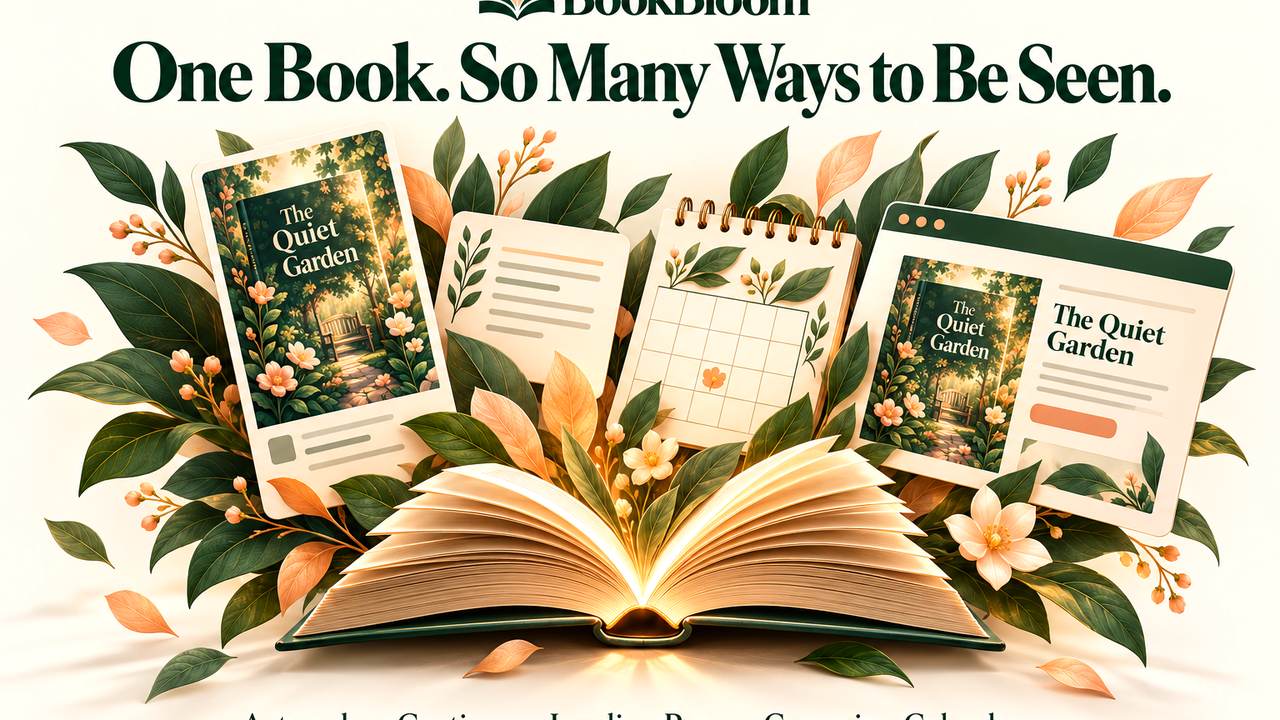
When I tested BookBloom, it fixed this whole problem in the smartest way I have seen. I pasted one Amazon book link, clicked one button, and the software built the entire month for me: the pin artwork (using the book’s real cover), the captions, the landing page, and a dated 30-day calendar I could export in one file. I did not design anything. I did not write anything. In this review, I will show you what BookBloom is, who created it, how it works, the features, the full pricing, and the real results beta authors shared. The launch opens tomorrow, November 13, so let us get into it.
Introduction
Most authors are told to “build an audience” — post for months, grow followers, and one day the book will sell itself. That is the slowest possible road to a reader.
What actually sells a book is much simpler. A reader who is already searching for a book like yours sees your cover, reads one line that speaks to them, and clicks. That moment needs no followers, no camera, and no ad budget — only your book, visible in the right places, again and again. The authors who get found are the ones with ninety pieces of content working for them, instead of three. Creating ninety pieces a month is a mountain of work — unless software does it for you.
That is exactly the gap BookBloom fills. It takes the link of a book you already published and turns it into a full 30-day Pinterest campaign: artwork, words, destination links, a landing page you own, and a dated calendar. An agency charges $500 to $2,000 to do this for one book, one time. BookBloom does it for a one-time $17 — and again for your next book. If you are an author building income step by step, this pairs beautifully with my guide on how to make money on Pinterest for beginners.
What Is BookBloom?
BookBloom is an AI-powered book promotion engine that turns one Amazon book link into a complete 30-day Pinterest campaign — artwork, captions, a hosted landing page, and a dated publishing calendar — for a one-time payment of $17, with no subscription.
Here is how it works in simple words. You paste your book’s Amazon link, and BookBloom reads the title, cover, author name, and book details by itself. Upload a few pages or paste some chapters, and it builds your pins from your actual writing, not just the blurb.
Then it plans a different angle for every day — reader match, practical help, curiosity, and context angles — writes the hook, caption, and call to action for each piece, and creates the pin artwork with your real book cover placed on top of a generated background. Your cover is never redrawn or changed. Each pin gets its own unique destination link to a landing page BookBloom builds for your book, so a month of promotion never looks like the same link pasted ninety times — and every click is tracked back to the exact pin that earned it.
When I went through the flow myself, what struck me most was the honesty of the design. BookBloom prepares everything and hands it to you: you approve the campaign, export the month as one CSV file, and bulk-import it into your own free Pinterest business account in minutes. Nothing is ever posted behind your back. The artwork is generated on your own AI key (Google, Anthropic, or OpenAI) at roughly four cents a piece, paid by you directly to that provider — BookBloom itself charges nothing monthly and has no credit meter inside.
It works for any published book, any genre, any price — novels, non-fiction, puzzle books, workbooks, and journals all get their own pin angles — and it covers up to ten books on the front end. If you also create books with AI, my RoyaltyShelf AI review shows the perfect partner tool for the creation side.
BookBloom Overview
Here is the full snapshot in one table.
| Product Name | BookBloom |
| Creator | Demetris Papadopoulos (DPAPA) |
| Category | AI Book Promotion & Pinterest Marketing Software |
| What It Does | Turns one Amazon book link into a 30-day Pinterest campaign: ~90 pins, artwork, captions, landing page & calendar |
| Books Covered | Up to 10 books on the front end; any genre, any price |
| Price | $17 one-time — no subscription, $0 monthly fees |
| Launch Window | Opens November 13, 2026 at 10:00 AM EST — closes November 18, 2026 at 1:00 AM EST (WarriorPlus) |
| What You Need | A published book link, a free Pinterest business account, and your own AI key for artwork (about $0.04 per piece) |
| Guarantee | 30-day first-campaign guarantee (set up and use your first campaign; if it does not deliver, show you gave it a real go and get refunded in full) |
| Skill Level | Complete beginner friendly — if you can copy and paste, you can run it |
Meet The Creator: Demetris Papadopoulos

I always check who built a tool before I recommend it, and the story behind BookBloom is one of the most honest I have seen. It was created by Demetris Papadopoulos — an author and founder who publishes his own books on Amazon.
Demetris did not start as a guru. He started as a frustrated author: he published his own books and failed at it first — money burned on covers, hours lost to formatting, and a sales dashboard full of zeros. Every workflow inside BookBloom comes from a mistake he made on his own books.
And he shows his receipts — real screenshots from his own Amazon KDP royalty reports. His account holds 68 titles. The honest part is there too: the account opened in May 2019, but nothing really moved until September 2024, when his publishing became steady. His lifetime royalties shown on the page are $625.33 — $374.05 from digital sales, $208.07 from print, and $43.21 from pages read. One of his books, a popcorn recipe book, even ranks first in Google’s AI Overview for popcorn recipe searches. He presents this as one author’s real account, not a promise about yours — and that honest style is exactly why I trust this product.
Regular readers may know Demetris by his launch name, DPAPA — he is also the creator of Royalty Profits AI and Royalty Profits AI Vol 2, two well-known KDP book-creation systems. BookBloom is the promotion partner built by a working publisher who learned, the hard way, how to get books seen.
Now let me show you how simple it is to use.
How Does BookBloom Work?
The whole system is just 3 simple steps. There is no step four.
Step 1: Paste Your Book Link
You paste the Amazon link of any published book — any genre, any price. BookBloom pulls the title, the cover, the author, and the details by itself. If you like, add a few pages from inside the book, and your promotion will be built from your real writing instead of only the cover and blurb. The Book Content Engine reads those pages and finds what is worth promoting — the sample, the challenge, the bonus, the occasion.
Step 2: Click One Button
One click builds the whole month: about 90 pieces at 3 pins a day for 30 days, each with a different angle. The AI Promotion Strategist plans the angles, the Artwork Studio previews the styles with your own cover, and the AI Copywriter writes every hook, caption, and keyword phrase. Your landing page is built at the same time, and every pin gets its own unique destination link. You approve what you want and drop what you do not.
Step 3: Publish And Watch
Now you download the finished artwork, copy the captions, and export the dated calendar as one file that Pinterest’s scheduler accepts in a single upload. Posting each day’s pins from your own account takes minutes. Then you open the tracking panel and see exactly what happened — page views and click-throughs, piece by piece — so you know which angle pulled the most readers. Simple, safe, and fully in your control.
✅ Visit BookBloom Official Website Here ►
Key Features Of BookBloom
BookBloom packs twelve working parts into one clean dashboard. Here are the features that impressed me most.
1. The 30-Day Campaign Calendar
This is the heart of the product. Every piece is dated across thirty days at the safe, steady pace Pinterest loves — about 3 pins a day — with its artwork, caption, and link together. One export gives you the whole month as a CSV or calendar file your scheduler accepts in a single upload.
2. Artwork Studio With Your Real Cover
BookBloom previews six artwork styles with your own book cover before you choose, then creates the full set in one pass. Your cover is placed on the finished pin exactly as it is — never redrawn, never re-lettered. The artwork is generated on your own AI key, so every finished file is fully yours to download and keep.
3. AI Copywriter
Every word is written for you: hooks, headlines, captions, calls to action, and the keyword phrases a real reader actually types. Everything comes from your book’s own material — nothing invents fake reviews, awards, or bestseller badges — and you can edit any line and save it as yours.
4. A Landing Page You Own
Every campaign publishes a real page for your book on your own address: your cover, headline, copy, buy buttons for every store where your book is sold, and a signup form so readers can join your list. Every click is counted in your own analytics, the page never disappears when the campaign ends, and it can grow into a full website holding all your books.
5. Unique Link For Every Pin
Each of the ~90 pieces carries its own destination link and staggered timing, so a month of promotion never reads as the same link pasted ninety times. This is the safe way to pin every day — and you can trace every click back to the exact pin that earned it.
6. Honest Tracking
The tracking panel shows page views and click-throughs per piece, with no cookies and no visitor profiles. A click is reported as a click — never dressed up as a sale — so you can see your book the way strangers see it and double down on the angles that pull readers.
7. Promotion Finder
BookBloom finds the promotion spots your book actually qualifies for. Each eligibility question is answered from your book’s own facts, the submission materials are written for you, and everything you send is kept in one history.
8. Free Channel Catalog & KDP Research
The catalog lists free places to promote a book, with the rules each channel itself states — formats, links, AI policy, review copies — each entry marked verified only after its own page has been read. KDP Research lets you search your genre the way a reader would and get title and keyword options written from your own book.
9. Guides, Blueprint & Templates Included
You are never left guessing. A walkthrough guides you through every section before you start it. The account blueprint turns one short brief into display-name options, a keyword-rich bio, and ten themed collections to publish into. And the landing-page template gives every campaign a page that is written and yours to edit.
Put together, BookBloom does the work an agency charges $500 to $2,000 for — per book — for $17 once. If you publish on KDP yourself, my Self-PublishMistry AI review is another reader favorite on this site.
Who Should Use BookBloom?
BookBloom is a perfect fit for:
- Authors with a published book and no promotion plan: You wrote the book — now give it the month of visibility it deserves, without learning design or marketing.
- KDP publishers with a backlist: Your older titles are sitting idle. The campaign workflow gives each book a proper second run, up to ten books on the front end.
- Busy authors with no time: If you can copy and paste, you can run this — the deciding, designing, and scheduling are done for you.
- Authors who hate design and social media: You never open a design tool, never stare at a blank caption box, and never need to be on camera.
- Small publishers: Run the same complete campaign for every title in your catalog, each pointing at a page you own.
- Puzzle book, workbook, and journal creators: Your books get their own pin angles, not generic quote pins.
Who Should Not Use BookBloom?
I keep my reviews honest and balanced, so let me be clear about the two cases where BookBloom is not the right tool.
- People without a published book yet: BookBloom promotes a finished, published book. If your book is not live on Amazon yet, finish and publish it first — then this becomes your best next step.
- People looking for a fully hands-off posting service: BookBloom prepares the whole month and you publish it from your own Pinterest account with the one-file import — deliberate, because it keeps your account safe and fully yours. If you want a service that posts for you, this is not that.
For every author with a book to promote, this is one of the smartest $17 tools I have tested. Let us look at the pricing.
BookBloom Pricing
The BookBloom launch runs on WarriorPlus for five days only: it opens Friday, November 13, 2026 at 10:00 AM EST and closes Wednesday, November 18, 2026 at 1:00 AM EST. Every price in the funnel is a one-time payment — there is no subscription anywhere.
Front End: BookBloom — $17 One-Time
For a single $17 payment, you get the complete system: the 30-day campaign workflow on up to ten books, AI artwork for every piece, a landing page you own for each book, artwork downloads, the one-upload calendar export, unique per-piece links, click tracking, the Promotion Finder, the free channel catalog, KDP Research, and the author website builder — plus lifetime updates. The only extra cost is artwork generation on your own AI key, at roughly four cents a piece, paid directly to Google, Anthropic, or OpenAI — about $4 for a full month of 90 pieces, with nothing billed by BookBloom.
Optional Upgrades (OTO 1–5)
- OTO 1 – BookBloom Pro $37: More active books, batch workflows, premium editable layouts, brand presets, next-month campaigns, the Video Studio with unlimited storyboards and rendered clips, and one-click publishing to your own Netlify account.
- OTO 2 – BookBloom Traffic $47: Both traffic tools in one package — the free-promotion planner that finds the channels your book fits, with a seven-day plan and a written lesson on every step, plus ad images, carousels, store and outreach plans, and platform copy.
- OTO 3 – BookBloom Reader Builder $37: The companion-bonus creator, opt-in pages, the bonus delivery workflow, ready email sequences, and subscriber export with email integration — turn readers into a list you own.
- OTO 4 – BookBloom Amazon Ads $47: Build your book’s Amazon Ads campaign the right way: the structure, keywords and product targets with starting bids, the negatives, your break-even cost per click worked out from your own royalty, a demo ad, and a bulk file Amazon accepts in one upload.
- OTO 5 – BookBloom Agency $97: Client records with retainers, onboarding and approval links, proposals, deliverables from a brief, branded monthly client reports, the client-getting hub — and full permission to sell BookBloom campaigns as a service.
VIP Bundle — $197 (Best Value)
If you would rather not decide upgrade by upgrade, the VIP bundle gives you all five upgrades — Pro, Traffic, Reader Builder, Amazon Ads, and Agency — in one $197 purchase. Bought separately they cost $265, so the bundle saves you $68, and it includes the Agency capacity of thirty books at once. The whole funnel tops out at $282 — and everything beyond the $17 front end is optional. The front end is complete on its own, and that is exactly how I recommend starting.
30-Day First-Campaign Guarantee
Every purchase carries BookBloom’s 30-day first-campaign guarantee, and I love how fairly it is written. Run it first: set your first campaign up and use it properly. If it does not deliver what the page promises, show the team within 30 days that you gave it a real go, and you are refunded in full. Full training and support from a real person are included either way.
✅ Visit BookBloom Official Website Here ►
BookBloom Pros And Cons
Pros
- A full month of book promotion — about 90 pins — built from one pasted link
- Artwork uses your real book cover, placed intact, in six previewed styles
- Every word written from your own book — no invented reviews or badges
- A landing page you own for every book, with tracked clicks and a reader signup
- Unique link per pin and a safe 3–5 pins-a-day pace protects your account
- One-time $17 for up to ten books — no subscription, no monthly fee, ever
- Promotion Finder, channel catalog, and KDP Research included in the front end
- Fair 30-day first-campaign guarantee, with training and real human support
Cons
- The launch price window is short — five days only, November 13–18
- Artwork runs on your own AI key, a small extra cost of about four cents per piece
- You publish the prepared month from your own Pinterest account (a quick CSV import — done this way on purpose, to keep your account safe)
Real User Experience
BookBloom was used by real authors in its beta program, and their stories are shared on the official page with their real names and real screenshots.
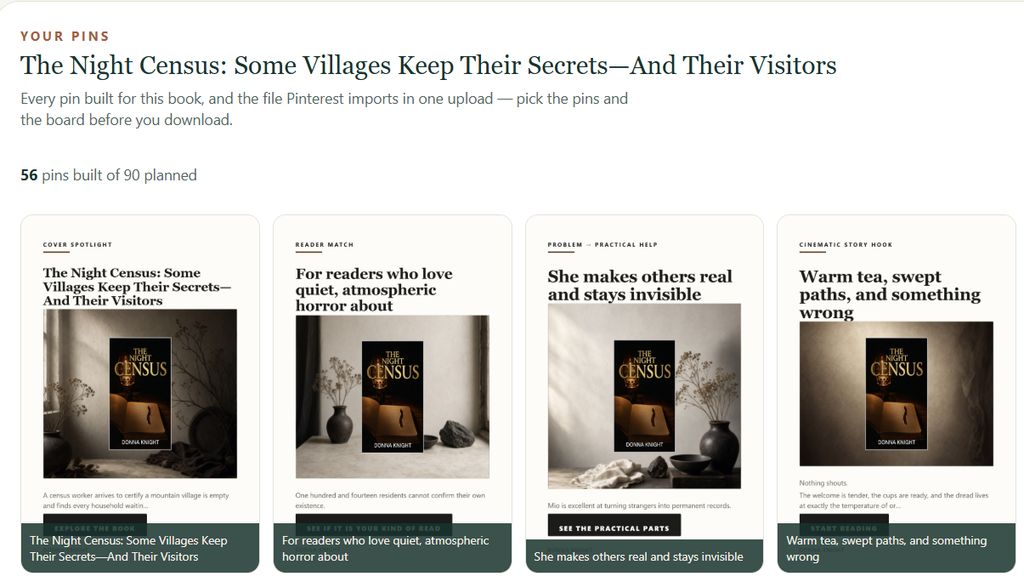
Donna Knight, a fiction author, had published books before but had never marketed one on Pinterest. BookBloom generated over 50 pins from her book’s own hooks, content, and genre, then built her a complete 30-day marketing plan. She imported the pins straight into Pinterest — her screenshot shows 47 pins sitting in her Scheduled Pins — and the Promotion Finder gave her a list of author sites that genuinely fit her book. In her own words, the assets easily saved her a week of work, and she would have given up after two days without it.
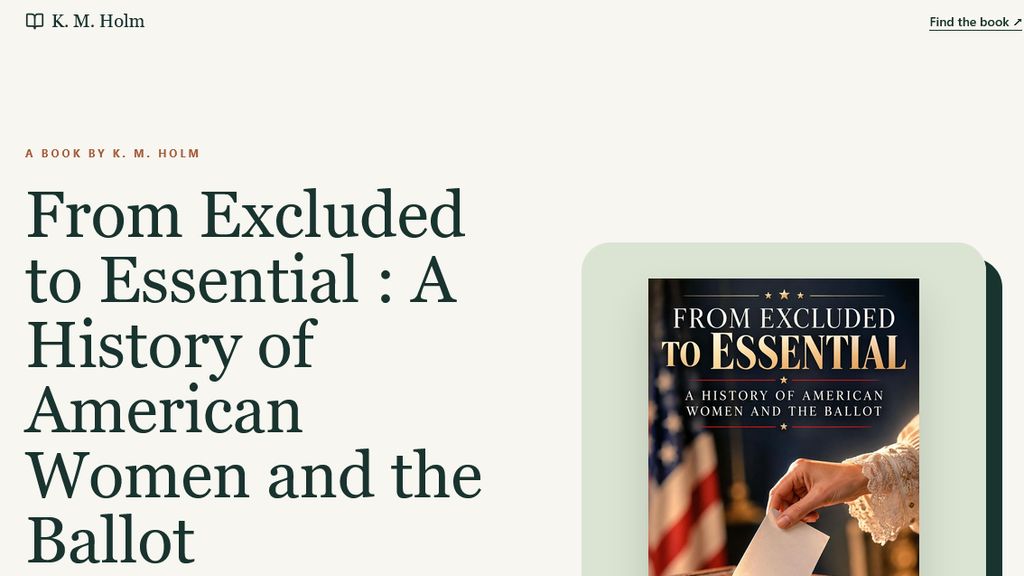
Karen Holm, who writes as K. M. Holm, used BookBloom for a new release. Setup was simple, the instructions were clear, and she was up and running quickly. The system handled the full workflow for her book “From Excluded to Essential” — the pins, the schedule, and a clean landing page with buy links to everywhere the book is sold.
My own testing lined up with both stories: the three steps really are that simple, and the calendar comes out complete and dated. For a $17 one-time tool, the completeness is remarkable.
Tips For New Members
- Start with your strongest book: Run your first campaign on the book with your best cover and reviews, and learn the full flow on it.
- Add a few inside pages: Uploading some chapters lets the Content Engine build pins from your real writing — the angles get much sharper.
- Preview every style: The Artwork Studio shows the styles on your own cover first — pick the look that matches your genre, and set up your ten themed Pinterest collections from the account blueprint before you import, so every pin lands in the right shelf.
- Check tracking weekly: After two weeks, you will see which angle pulls readers. Lean your next campaign into those angles.
- Promote your book page too: Share your BookBloom landing page in your author profiles and email signature — every visit is counted, and readers can join your list there.
And once your campaigns are running, my guide on how to make money selling digital products will help you add even more income streams around your books, while promoting affiliate links for free shows you how to spread the word at zero cost.
✅ Visit BookBloom Official Website Here ►
Frequently Asked Questions
Is BookBloom a subscription?
No. BookBloom is a one-time $17 purchase with no monthly fee, ever. The upgrades are also one-time payments, offered once after checkout, and you can skip all of them.
Does BookBloom post the pins for me?
BookBloom prepares everything — the plan, the artwork, and a CSV file you bulk-import into Pinterest in minutes. You publish from your own free Pinterest business account, which is the safer way and keeps your account fully in your hands.
What else do I need besides BookBloom?
Three simple things: a published book (any genre, any price), a free Pinterest business account, and your own AI key from Google, Anthropic, or OpenAI for the artwork — roughly four cents per piece, paid to that provider, with an in-app guide that walks you through getting a key in about two minutes.
Will Pinterest flag my account for this?
The whole plan is built for safety: a steady 3–5 pins a day, varied angles, and a unique destination link for every pin, so nothing looks like a repeated dump of one link.
How many books can I promote?
The front end covers up to ten books, with lifetime updates and unlimited use on your own books. BookBloom Pro raises the number of active books, and the Agency upgrade supports thirty books at once.
Is the artwork really made from my book?
Yes. Your real cover is placed intact on every pin — never redrawn — and every hook and caption is written from your book’s own pages and details. Nothing invents reviews, awards, or bestseller badges for you.
What if it does not work for me?
You are covered by the 30-day first-campaign guarantee. Set your first campaign up, use it properly, and if it does not deliver what the page promises, show the team within 30 days that you gave it a real go and you will be refunded in full.
Final Verdict
So, my final word on BookBloom?
BookBloom solves the exact problem that stops most authors: promotion is a hundred pieces of content a month, and nobody has time to make them. For a one-time $17, it turns a link you already have into a full month of professional promotion — artwork built on your real cover, words written from your real book, a landing page you own, tracked links for every piece, and a dated calendar you import in one file. The founder is a working publisher who shows his own numbers, and the beta authors are real people with real screenshots.
Remember the comparison: an agency charges $500 to $2,000 for one month of this work, for one book. BookBloom is $17 once, covers up to ten books, and keeps working for every future book too.
The launch window is short — November 13 at 10:00 AM EST to November 18 at 1:00 AM EST. My honest recommendation: grab BookBloom when the cart opens, run your first campaign this week, and give your book the thirty days of visibility it has been waiting for.