
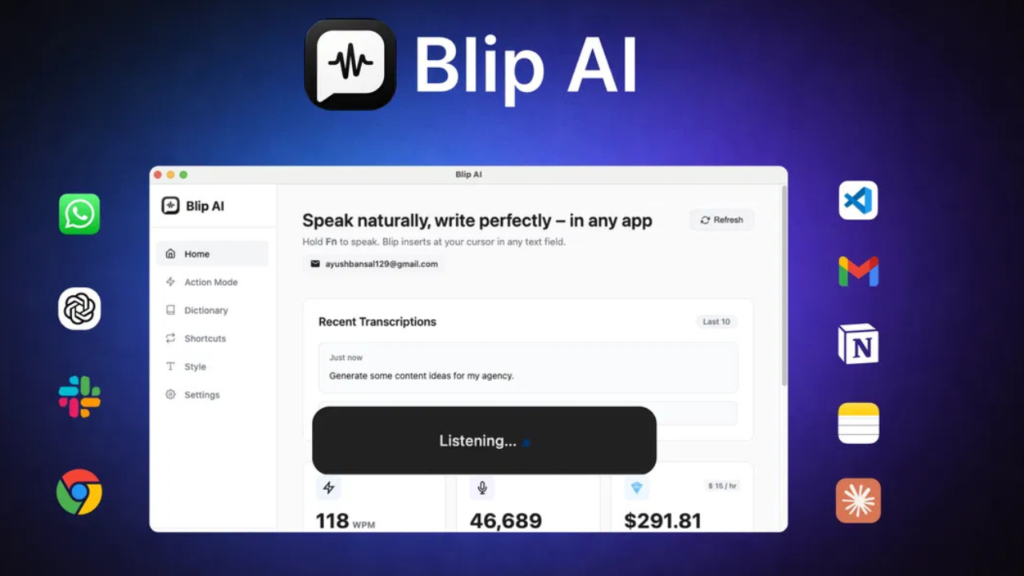
Blip AI Review – If you are tired of typing long messages, emails, or content every day, this tool might change the way you work.
Typing takes time. Even if you are fast, it still slows you down.
Now imagine speaking naturally and getting clean, ready-to-send text in seconds. That’s exactly what Blip AI promises.
In this detailed review, I will break everything down in simple English so you can decide if it is worth your money.
Introduction
In today’s digital world, speed matters.
Whether you are replying to emails, chatting on Slack, writing content, or coding, typing is still the biggest bottleneck.
This is where Blip AI comes in.
It is a smart voice-to-text tool that turns your speech into polished, formatted text in real time.
And the best part? It works in almost any app you use daily.
This means you can write faster, save time, and focus on important tasks instead of typing.
What is Blip AI? 🤖
Blip AI Review shows that this tool is more than just a basic dictation software.
Blip AI is an AI-powered voice typing tool that converts your speech into clean, structured text instantly.
You just press a hotkey and start speaking.
It automatically:
- Removes filler words like “um” and “uh”
- Adds punctuation
- Formats sentences properly
- Keeps your natural tone
It supports 99+ languages, making it useful for global users.
You can use it in:
- Gmail
- Slack
- ChatGPT
- VS Code
- Any text field
That’s what makes it powerful.
Creator Overview 👨💻
Blip AI was founded by Ayush Bansal and his team in October 2025.
The company is based in India and is currently in a growth stage.
The idea came from a simple problem:
Typing everywhere is frustrating and slow.
So they built a tool that allows users to speak naturally and get professional text instantly.
Their focus is on:
- Speed
- Simplicity
- Real productivity
And based on user reviews (4.9 rating ⭐), they are doing a great job so far.
How Does Blip AI Work? ⚙️
Blip AI Review reveals a very simple workflow.
You don’t need technical skills.
Here’s how it works:
Step 1: Press a Hotkey
You press a shortcut key (like Fn or custom key).
Step 2: Speak Naturally
Start talking like you normally do.
No need to be robotic or slow.
Step 3: Get Polished Text
Blip AI:
- Cleans your speech
- Formats it
- Inserts it directly into your app
It works instantly where your cursor is active.
That means no switching tabs.
Just speak and done. ✅
Watch Quick Demo Here👇
Key Features & Benefits 🔥
1. Voice to Text in Any App
You can dictate anywhere you type.
This includes:
- Emails
- Chat apps
- Code editors
👉 Huge time saver.
2. Smart Formatting
Blip AI automatically:
- Adds punctuation
- Fixes grammar
- Structures sentences
Your raw speech becomes professional text.
3. Filler Word Removal
No more messy sentences.
It removes words like:
- “um”
- “uh”
Your message stays clean and clear.
4. “Hey Blip” Action Mode 🎯
This is a standout feature.
You can say:
👉 “Hey Blip, write a follow-up email”
And it will generate a full message instantly.
Perfect for:
- Emails
- Slack updates
- Notes
5. Works Across Devices
Compatible with:
- Windows
- macOS
- Android
You can keep the same workflow everywhere.
6. 99+ Language Support 🌍
Speak in your preferred language.
Blip AI can even auto-detect it.
Great for international users.
7. Personal Vocabulary
You can add:
- Custom words
- Names
- Industry terms
This improves accuracy over time.
8. Shortcut Commands
You can map phrases like:
👉 “My portfolio”
And it will insert your link instantly.
Very useful for repetitive tasks.
9. API Access
Developers can integrate Blip AI into:
- Apps
- Workflows
- Automation tools
10. Context-Aware Writing
Blip AI adjusts tone automatically.
Example:
- Casual for chat
- Formal for email
✅ Get Blip AI Lifetime Deal Here 👈
Who Should Use Blip AI? ✅
This tool is perfect for:
Content Creators
Write blogs, scripts, or posts faster.
Marketers
Respond quickly to clients and teams.
Small Business Owners
Handle communication without wasting time.
Developers
Dictate code comments or messages.
Busy Professionals
Save hours every day.
Who Should NOT Use Blip AI? ❌
Blip AI may not be ideal for:
- People who prefer manual typing
- Users needing offline tools (not available yet)
- Those with very unstable internet
- Users expecting perfect accuracy in all languages
It works best when you speak clearly.
Pricing 💰
Blip AI offers lifetime deals (one-time payment).
License Tier 1 – $49
- 200,000 words/month
- 2 devices
- Full features
License Tier 2 – $129
- 600,000 words/month
- 5 devices
License Tier 3 – $249
- 1,400,000 words/month
- 10 devices
Bonus
- 60-day money-back guarantee
- Lifetime updates
👉 This makes it a low-risk investment.
✅ Get Blip AI Lifetime Deal Here 👈
Pros and Cons ⚖️
Pros 👍
- Very fast and accurate
- Works in any app
- Easy to use
- Saves time daily
- Action Mode is powerful
- Supports many languages
- Affordable lifetime deal
Cons 👎
- Needs internet connection
- Minor bugs reported by some users
- Device limits in lower plans
- Not perfect for all accents yet
✅ Get Blip AI Lifetime Deal Here 👈
Final Verdict 🏁
Blip AI Review clearly shows that this tool is a strong choice for anyone who wants to work faster.
It solves a real problem — typing takes too long.
With features like:
- Voice dictation
- Smart formatting
- Action Mode
It feels like a productivity upgrade.
Yes, it still has small areas to improve.
But overall, it delivers great value, especially with a lifetime deal.
👉 If you want to save time and boost productivity, Blip AI is definitely worth trying.
Frequently Asked Questions ❓
1. What is Blip AI?
Blip AI is a voice-to-text tool that converts speech into clean, formatted text instantly.
2. Does Blip AI work in all apps?
Yes, it works in almost any app where you can type.
3. How many languages does it support?
It supports 99+ languages with auto-detection.
4. Is Blip AI beginner-friendly?
Yes, it is very easy to use. Just press a hotkey and speak.
5. Can I get a refund?
Yes, there is a 60-day money-back guarantee.
6. Does it work offline?
No, currently it requires an internet connection.
🚀
If you are serious about saving time and working smarter, now is the right time to try Blip AI.
👉 Get access today with a lifetime deal
👉 Test it risk-free for 60 days
👉 Start writing 4x faster
Don’t wait — your productivity upgrade is just one click away.
✅ Get Blip AI Lifetime Deal Here 👈
Affiliate Disclosure: This article contains affiliate links. If you click and purchase through our link, we may earn a small commission at no additional cost to you. Our reviews and opinions are entirely our own and are not influenced by any commission arrangements.