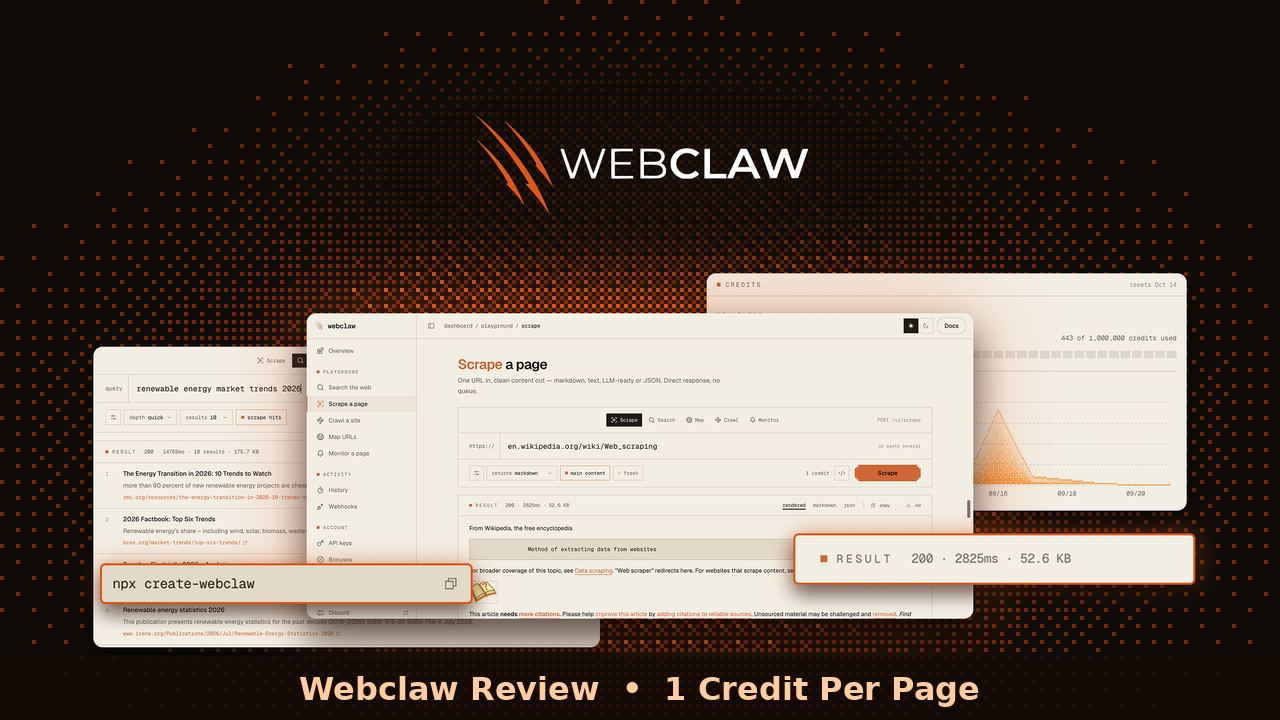
Hey, this is Golam. Welcome to my Webclaw Review.
Do you use AI tools like ChatGPT or Claude for your work? Then you know one big problem. AI tools are smart, but they cannot read most websites well. When you give an AI a web page, it often gets a big mess of ads, menus, pop-ups, and code. The AI gets confused, and you pay for a lot of useless text.
There is also a second problem. Many websites are hard to read. They use heavy JavaScript, or they block tools that try to copy their pages. So people waste hours copying data by hand, or they pay for costly scraping tools that charge extra for every hard page.
In this Webclaw Review, I will show you a smart tool that fixes both problems. Webclaw takes any web page and turns it into clean, neat data that AI tools love. And it does this for one simple price: one credit per page, even for hard pages. Even better, on AppSumo you can get it with a one-time lifetime payment, starting at just $59. No monthly bill forever.
Let us look at it in detail.
Introduction 📝
The internet is full of useful data. Prices, product details, job posts, news, research, and competitor pages are all there. If you can collect this data in a clean way, you can work much faster. You can do market research in minutes. You can watch prices. You can feed fresh facts to your AI tools, so they give you better answers.
But collecting web data is not easy. Normal scraping tools are slow. Many of them open a full browser for every page, which takes time and computer power. Worse, their pricing is tricky. A simple page costs one price. A page with JavaScript costs more. A blocked page costs even more. And if you want the data in a clean, structured form, you pay four or five times more again. Your bill becomes a surprise every month.
Webclaw was built to change this. It is a web extraction toolkit made for the AI age. It turns any website into clean, structured data, fast. And its pricing rule is beautifully simple: one page, one credit. Rendering, blocked pages, and AI extraction are all included in that one credit.
In this Webclaw Review, I will explain what Webclaw is, who made it, how it works, its best features, the full AppSumo pricing, and who should buy it. Let us start.
What Is Webclaw? 🤔
Webclaw is a web extraction toolkit. In simple words, it reads web pages for you and gives you back only the useful content, in a clean form.
You give Webclaw a web page link. Webclaw visits the page, reads it, removes the junk like ads, menus, and pop-ups, and returns the real content. You can get the content in six formats: Markdown, JSON, HTML, plain text, raw HTML, and a special LLM format. LLM means the format made for AI tools like ChatGPT and Claude. This special format cuts the text size by around 90% compared to raw HTML, so your AI gets the facts without the noise, and you spend far fewer tokens.
Webclaw is not only a single-page tool. It can also search the web and return results with their content, map a whole website to find all its pages, crawl many pages at once, extract exact data like prices and names into neat JSON, and even watch a page and tell you when it changes.
It works in three ways. There is a cloud API, which means your tools can talk to Webclaw over the internet. There is a simple command-line tool. And there is an MCP server. MCP is a way for AI tools to connect to other tools. Webclaw’s MCP server gives AI assistants like Claude, Cursor, and Codex 14 handy tools, so your AI can read the web by itself while it works for you.
Webclaw is also open source. Its core is free to install on your own computer or server, with no limits. The AppSumo deal in this review is for the managed cloud version, so you can skip all the setup and just use it.
Webclaw Overview 📊
Here is a quick look at Webclaw:
| Product Name | Webclaw |
| Type | Web extraction toolkit / scraping API for AI agents |
| Creator | Valerio Massimiani (Rome, Italy) |
| What It Does | Turns any web page into clean Markdown, JSON, text or LLM-ready data |
| Main Tools | Scrape, Search, Map, Crawl, Batch, Extract, Monitor, Summarize, Research |
| Output Formats | 6 formats: Markdown, JSON, HTML, plain text, raw HTML, LLM-optimized |
| Pricing Rule | 1 credit per page — JavaScript rendering, blocked pages and AI extraction included |
| AppSumo Price | From $59 one-time (lifetime deal, regular $299) |
| Rating | 4.83 out of 5 on AppSumo |
| Guarantee | 60-day money-back guarantee on AppSumo |
| Official Website | webclaw.io — deal on AppSumo |
As you can see, Webclaw is a small tool with a very clear promise: clean web data, super fast, for one fair credit per page.
Who Created Webclaw? 👤
Webclaw was created by Valerio Massimiani, a developer from Rome, Italy.
His story is interesting. For years, he built small monitoring tools that watched ticket and shopping pages in many countries. These tools checked if a product was back in stock. The hard part was never reading the page. The hard part was getting the page at all, because many sites block tools and bots.
Then AI tools arrived, and the need changed. An AI agent does not want one small answer. It wants the whole page, in clean text it can read. Valerio saw that other scraping tools charged extra for exactly the things an AI needs most: JavaScript rendering, blocked pages, and structured data. He had already solved those hard parts in his own work, so he built Webclaw and priced it the fair way: one credit per page, everything included.
He still writes the code and runs the servers himself. So when you need help, you do not write to a big support queue. You write to the person who built the tool. Many users love this direct support.
How Does Webclaw Work? ⚙️
Webclaw is fast because it works in a smart way. Most scraping tools open a heavy web browser for every page. Webclaw does not. It uses fast HTTP requests with a smart technique that makes the request look like a real browser. So most pages come back in well under 200 milliseconds, with no slow browser needed. A smart reading system then picks out the main content of the page and removes the junk.
Here is how you use it, step by step:
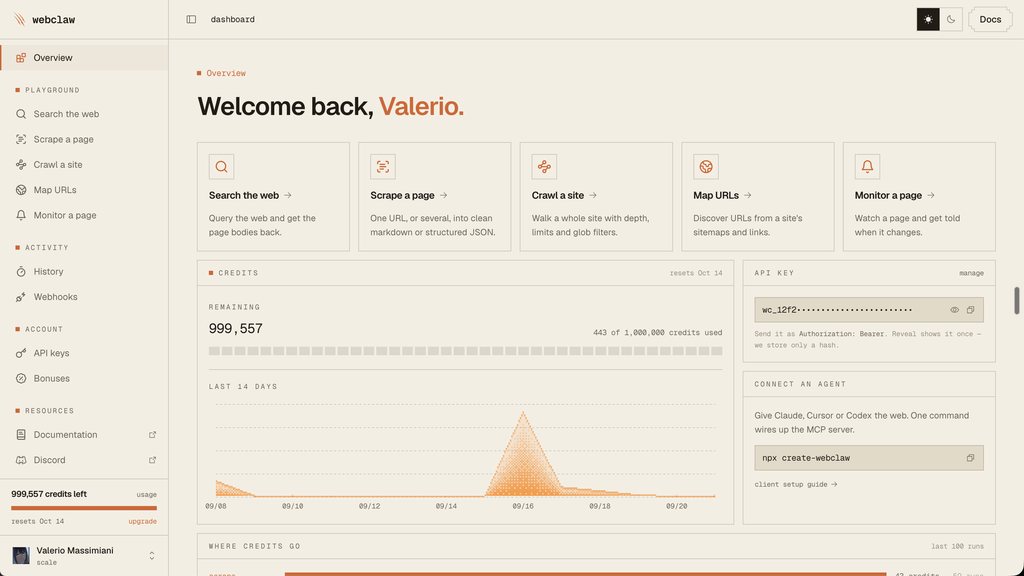
Step 1: Get your lifetime deal. Buy Webclaw on AppSumo (link below) and redeem your code. Your cloud account is ready with your monthly credits and your one-time bonus credits.
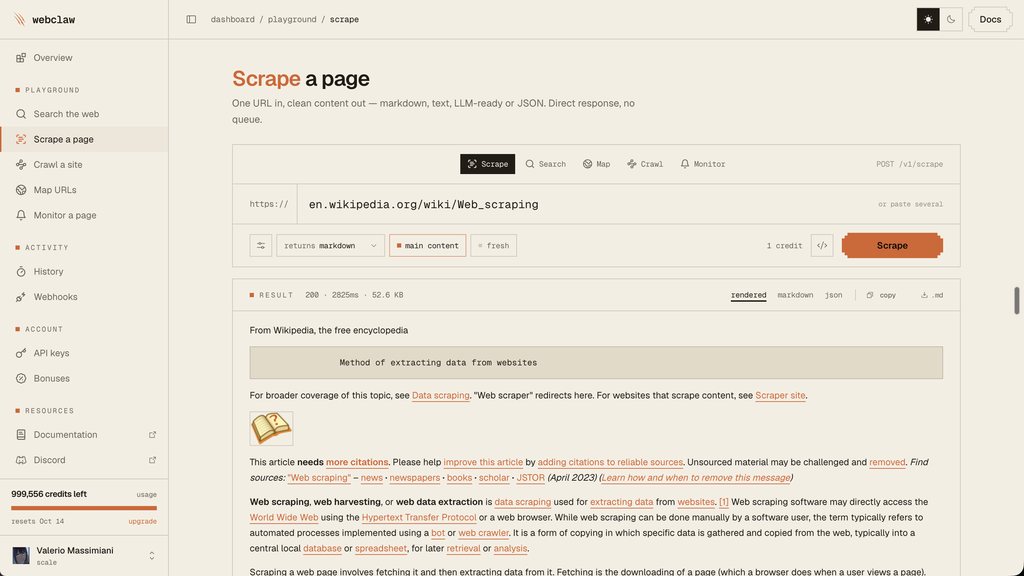
Step 2: Open the playground or connect your tool. You can test pages right away in the Webclaw playground in your browser. Or connect Webclaw to your AI tool with the one-command MCP setup, or use the API in your own app.
Step 3: Paste a page link. Give Webclaw any URL you want to read — a product page, a blog post, a job board, a competitor page, anything.
Step 4: Pick your format. Choose Markdown for reading, JSON for structured data, or the LLM format to feed an AI tool with about 90% fewer tokens.
Step 5: Get clean data in seconds. Webclaw returns the main content only — no ads, no menus, no pop-ups. One page costs one credit, even if the page needed JavaScript or was hard to reach.
Step 6: Go bigger when you need. Map a whole site to list all its pages, crawl or batch many pages at once, extract exact fields like price and title into JSON, or set a monitor to watch a page for changes.
That is the whole flow. Simple, fast, and made for both people and AI agents.
✅ Visit Webclaw Official Website Here ►
Key Features Of Webclaw ✨
Let us look at the features that make Webclaw special.
1. One Credit Per Page — Everything Included
This is the star feature. Other tools charge more for JavaScript pages, more for blocked pages, and four or five times more for structured AI extraction. With Webclaw, a page is a page: one credit. Rendering, hard pages, and AI extraction into your own data shape are all inside that one credit. It is written into the billing system itself, not a short launch offer. Your cost is easy to plan: pages you read equals credits you spend.
2. Super Fast — No Heavy Browser
Webclaw does not open a full browser for each page like old tools do. It connects in a fast, smart way that looks like a real browser visit. Most pages return in well under 200 milliseconds. When a page truly needs JavaScript, Webclaw can render it too — still for the same one credit. Speed like this makes a big difference when you read hundreds or thousands of pages.
3. Six Clean Output Formats
You get the content the way you need it: Markdown for easy reading, JSON for apps and data work, HTML and raw HTML when you need the full page, plain text for simple use, and the special LLM format. The LLM format is cleaned in several steps to remove noise, and it can cut token use by around 90% compared to raw HTML. If you pay for AI by the token, this saving alone can be worth a lot.
4. AI Extraction Into Your Own Shape
Sometimes you do not want the whole page. You want exact facts: the price, the product name, the job title, the company, the date. Webclaw’s Extract tool uses AI to pull out exactly the fields you ask for, in neat JSON. This is perfect for building datasets, price lists, lead lists, and research briefs.
5. Search, Map, Crawl And Batch
Webclaw is a full toolkit. Search returns web results with their page content already extracted, in one call. Map quickly lists all the URLs of a website from its sitemap — one example found 5,000 URLs in about 3 seconds — so you can pick only the pages you want. Crawl and Batch then read many pages for you. Together, they turn whole websites into clean data sets.
6. MCP Server With 14 Tools For AI Agents
If you use AI tools like Claude, Cursor, Codex, or Windsurf, this feature feels like magic. Webclaw’s MCP server gives your AI 14 tools — scrape, search, crawl, map, batch, extract, summarize, diff, brand, research, and more. Your AI can search the web, read pages, compare pages, and build research on its own, using clean data every time. Setup takes one command.
7. Monitor Pages And Diff Changes
Webclaw can watch important pages for you and check them again over time. The Diff tool shows you what changed between two visits. This is gold for price watching, stock checks, competitor watching, and job board alerts — the exact jobs the creator spent years doing by hand.
8. Firecrawl-Compatible — Easy To Switch
If you already use Firecrawl, Webclaw has a compatibility layer for Firecrawl’s v2 API. That means you can switch your existing setup to Webclaw without rewriting your code. Moving over is quick and low-risk.
9. Open Source And Private By Design
Webclaw’s core is open source (AGPL-3.0). If you like full control, you can host it yourself for free, with the command-line tool, API server, or MCP server, using ready Docker images. And in the cloud version, your requests are processed in real time; the extracted content is not kept after your response is served. Your data stays your data.
Put together, these features make Webclaw much more than a scraper. It is a clean-data engine for the AI age.
Who Should Use Webclaw? 🎯
Webclaw is a great fit for:
- AI power users who use Claude, ChatGPT, Cursor, or Codex and want their AI to read live web pages cleanly.
- Developers and builders making AI apps, research tools, or data products that need fresh web data.
- Marketers and researchers who collect competitor data, prices, product info, and market facts.
- Online sellers who watch prices and stock on shopping sites.
- Freelancers and agencies who build prospect lists, job datasets, and research briefs for clients.
- Firecrawl users who want a drop-in switch with simpler, fairer pricing.
- Anyone tired of copy-pasting web pages by hand or paying surprise scraping bills.
If you work with web data and AI, Webclaw will feel like it was made for you — because it was.
Who Should Not Use Webclaw? 🚫
To keep this Webclaw Review helpful, here is who may not need it:
- People who never collect web data and do not use AI tools will not get much value from a data toolkit.
- People who want a fully no-code, point-and-click tool only may prefer simpler visual tools — though Webclaw’s playground is easy to test in the browser, its full power is for people who connect it to AI tools or apps.
- People who need just one page once a year can simply copy it by hand.
For everyone else who reads the web for work, Webclaw is a smart buy.
Webclaw Pricing 💰
Webclaw is sold on AppSumo as a lifetime deal. You pay once, and you use it for life. There are four tiers. Every tier gives you monthly credits that refresh each month, plus a big one-time credit pool to start with. And remember: every page costs just one credit, including JavaScript rendering, hard pages, and AI extraction.
| Tier | One-Time Price | Credits / Month | One-Time Credits | Research Runs / Month |
|---|---|---|---|---|
| Tier 1 | $59 | 5,000 | 25,000 | 8 |
| Tier 2 | $149 | 9,000 | 150,000 | 15 |
| Tier 3 | $259 | 40,000 | 300,000 | 30 |
| Tier 4 | $399 | 125,000 | 600,000 | 60 |
Tier 1 ($59, regular $299) is the perfect start. You get 5,000 credits every month — that is 5,000 pages — plus 25,000 one-time credits, with up to 10 pages at the same time. For most single users and small projects, this is more than enough.
Tier 2 ($149) raises you to 9,000 monthly credits and a big 150,000 one-time pool, with faster parallel work. Good for regular research and small teams starting out.
Tier 3 ($259) gives 40,000 monthly credits and 300,000 one-time credits. This tier is great value per credit and fits busy marketers, agencies, and data projects.
Tier 4 ($399) is the top tier: 125,000 credits a month, 600,000 one-time credits, and the highest speed. If web data is core to your business or your AI product, this tier pays for itself very fast.
All tiers include the full toolkit: the cloud API with all endpoints, the MCP server for AI tools, the command-line tool, six output formats, JavaScript rendering, and AI extraction. You also get AppSumo’s 60-day money-back guarantee, so you can test Webclaw on your hardest pages with no risk. If it is not for you, you get your money back.
Think about the value for a moment. Scraping services usually charge monthly, and a hard page can cost you several credits. Here, you pay once — $59 is less than one month of many rival tools — and the credits keep coming every month, for life.
✅ Visit Webclaw Official Website Here ►
Pros And Cons Of Webclaw ⚖️
Pros ✅
- One credit per page — JavaScript, blocked pages and AI extraction all included, no surprise bills.
- Very fast: most pages return in well under 200 milliseconds, no heavy browser.
- LLM format cuts AI token use by around 90% compared to raw HTML.
- Full toolkit: scrape, search, map, crawl, batch, extract, monitor, diff and research.
- MCP server with 14 tools for Claude, Cursor, Codex and Windsurf.
- Firecrawl v2 compatibility makes switching easy.
- Lifetime AppSumo deal from $59 — no monthly subscription.
- Open-source core you can also self-host for free.
- Direct support from the founder who writes the code.
- 60-day money-back guarantee on AppSumo.
Cons ❌
- It is a young product (started in 2026), so the review count is still small — though the early rating is a strong 4.83 out of 5.
- The full power is best for people who use AI tools or apps; total beginners may start with the playground first.
- Like every web scraper, a small number of very protected sites can still be hard to read.
The pros are strong and clear, and the cons are small for a tool at this price.
Real User Experience 💬
Webclaw holds a rating of 4.83 out of 5 on AppSumo, and the feeling in the reviews is very positive. AppSumo’s own summary of customer reviews says users praise the one-credit-per-page pricing, the strong extraction, and how well it works with AI agents. Users also note it handles JavaScript-heavy pages and many data formats with ease.
One happy buyer calls Webclaw his first-choice scraper now, noting that the few blocks he meets are the same ones every tool faces. Another user, who is not a developer, uses the hosted API for business research — making prospect briefs and even a job-postings dataset. That shows Webclaw is useful beyond coding: if you can describe the data you want, Webclaw can help you collect it.
Users also like the honest pricing. One credit per page means no mental math and no end-of-month shock. And several buyers mention the direct line to the founder — when you ask a question, the person who built Webclaw answers it. For a tool you plan to build your work on, that kind of support matters.
Tips For New Members 💡
New to Webclaw? These tips will help you get the most from it:
- Start with the playground. Paste your ten hardest pages first — JavaScript pages, shop pages, job boards. See the clean result before you connect anything.
- Use the LLM format for AI work. It gives your AI the facts with about 90% fewer tokens, so your AI chats and agents run cheaper and smarter.
- Map before you crawl. List a site’s URLs first, pick only the pages you need, then batch them. You save credits and get cleaner datasets.
- Extract exact fields. For prices, names, and dates, use Extract with your own data shape instead of reading whole pages.
- Set monitors on key pages. Watch competitor prices or stock pages and let Diff show you changes, instead of checking by hand.
- Test inside the 60 days. The guarantee gives you time to try your real work. Pick the tier that fits your monthly page count.
- Stack tiers if you grow. AppSumo tiers can be combined later if you need more monthly credits.
✅ Visit Webclaw Official Website Here ►
Frequently Asked Questions ❓
What is Webclaw?
Webclaw is a web extraction toolkit. It turns any website into clean, structured data — Markdown, JSON, text, or a special LLM format for AI tools — through a fast cloud API, a command-line tool, and an MCP server.
How much does one page cost?
One credit. Always. JavaScript rendering, hard or blocked pages, and AI extraction are all included in that one credit. There are no hidden multipliers.
Is Webclaw a one-time payment?
Yes, on AppSumo. You pay once (from $59) and get lifetime access to the managed cloud API, with monthly credits that refresh every month, plus a one-time credit pool.
Can I try Webclaw before buying?
Yes. The open-source core is free to self-host with no limits and no card needed. You can run the full engine yourself first. And the AppSumo deal also has a 60-day money-back guarantee.
Does Webclaw work with my AI tools?
Yes. The MCP server works with Claude, Cursor, Codex, and Windsurf, and gives your AI 14 tools like scrape, search, crawl, extract, and research. The API also fits any app, and there is a Firecrawl v2 compatibility layer.
How is Webclaw different from normal scrapers?
Normal scrapers open a heavy browser for every page, which is slow, and they charge extra for hard pages and structured data. Webclaw connects in a fast, lightweight way — most pages return in well under 200 milliseconds — and it charges one flat credit per page.
Can Webclaw read JavaScript-heavy pages?
Yes. JavaScript rendering is supported and included in the same one credit per page.
Is my data private?
Yes. Requests are processed in real time, and extracted content is not kept after your response is served. If you want total control, you can self-host the whole system.
What is the difference between Map and Crawl?
Map only lists a site’s URLs from its sitemap — fast and cheap. Crawl actually visits the pages and extracts their content. A common flow is: map first, then crawl or batch the pages you picked.
If you build your business with AI and online tools, these reviews of mine pair very well with Webclaw: my Systeme.io Review shows the free all-in-one platform where you can use the data you collect to build funnels and email lists, and my Self-PublishMistry AI Review shows how to create books with AI — research for book topics is a job Webclaw makes much faster.
Final Verdict 🏆
Here is my final word in this Webclaw Review.
Webclaw does one job and does it beautifully: it turns any web page into clean data that you and your AI tools can actually use. It is fast, it is simple, and its pricing is the fairest I have seen in this space — one credit per page, with JavaScript rendering, blocked pages, and AI extraction all included.
The AppSumo lifetime deal makes it an easy decision. For a one-time $59, you get 5,000 pages every month for life, plus 25,000 extra credits to start, the full toolkit, the MCP server for your AI agents, and a 60-day money-back guarantee. Higher tiers give even better value if you work with lots of data.
If you feed web data to AI, do research, watch prices, or build data-driven products, Webclaw will save you time and money every single week. Deals like this do not stay on AppSumo forever, so grab your lifetime tier while it is live.
Click the button below and get Webclaw on AppSumo now.