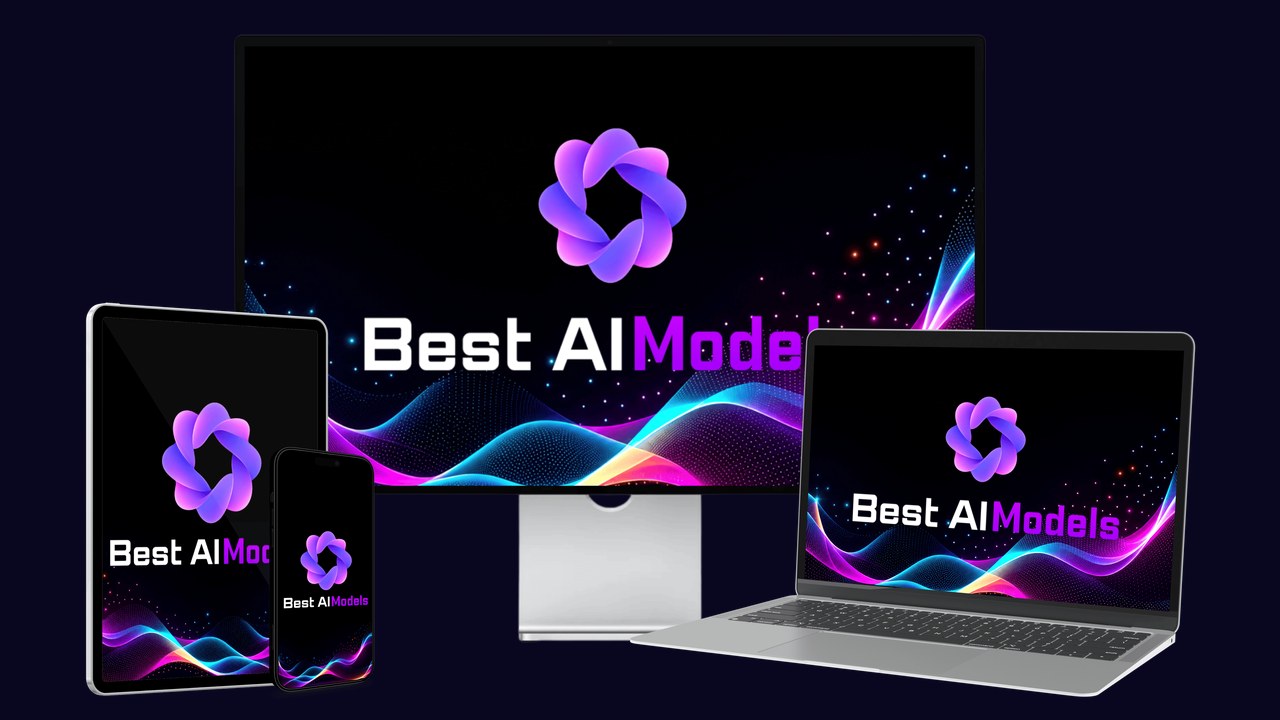
Hey, this is Golam. Welcome to my Best AI Models review.
Let me ask you a simple question: how many AI subscriptions are you paying for right now? ChatGPT for one thing, Claude for another, Gemini for a third — each one taking $20, $50, or even $200 from your pocket every single month.
I got tired of that game, so I tested Best AI Models — a single dashboard that unlocks 21 of the world’s most powerful AI models for one tiny one-time payment. In this review, I will show you exactly what is inside, how it works, what it really costs, and why I believe this is one of the smartest AI deals of the year.
Introduction
The AI world changed fast. A year ago, there was basically one famous AI chatbot. Today, there are more than 21 elite AI models — and here is the secret the pros already know: each model is the champion at something different.
Claude writes the most human-like copy. GPT-5.5 Pro is a beast at creativity and complex tasks. Gemini 3.5 crushes fast, multimodal work. DeepSeek V4 delivers serious coding and reasoning power. Kimi K2 Thinking handles deep research. Grok 4 brings real-time knowledge. Pick only one, and you are strong in one area and weak in all the others.
Paying for all of them separately would cost you $500 to $1,000 or more every month. That is the trap Best AI Models was built to break. I have used multi-model dashboards before — my GPTHub AI review covers a similar idea — and in this review I will show you how Best AI Models does it for a one-time $14.95, with no monthly fees at all.
What Is Best AI Models?
Best AI Models is a cloud-based AI workspace that puts the world’s 21 best AI models inside one simple dashboard. You log in, choose the model you want, and generate — no separate subscriptions, no API keys to set up, and no jumping between ten different websites.
Here is the full lineup you unlock: Claude Fable 5, Claude Opus 4.8, Claude Sonnet 5, Claude Opus 4.6, and Claude Sonnet 4.6 from Anthropic. GPT-5.6 Sol, GPT-5.5 Pro, GPT-5.5, GPT-5, and OpenAI o3 from OpenAI. Gemini 3.5 Flash, Gemini 3.1 Pro, Gemini 3 Pro, and Gemini 2.5 Pro from Google. DeepSeek V4 Pro and DeepSeek V4 Flash. Kimi K2.6, Kimi K2.5, and Kimi K2 Thinking. GLM 5.2. And Grok 4.
And here is my favorite part: every time a new AI model is released in the future, it is added to your account automatically. You never chase upgrades and never pay again. When I tested the dashboard, switching from Claude to GPT to Gemini took seconds — it honestly feels like holding the whole AI industry in one tab. It is the same “every model in one place” promise I loved when I wrote my GrokUltra AI review, but with an even bigger lineup and a smaller price.
Best AI Models Overview
| Product Name | Best AI Models |
| Product Type | Multi-model AI dashboard (21 elite AI models in one workspace) |
| Creator | Uddhab Pramanik (Insource Apps) |
| Front-End Price | $14.95 one-time — no monthly fees |
| Models Included | Claude, GPT, Gemini, DeepSeek, Kimi, GLM & Grok — 21 models + all future releases |
| Commercial License | Included |
| Money-Back Guarantee | 30 days |
| Where To Buy | Best AI Models Official Website |
Now let me introduce the creator behind this dashboard.
Best AI Models By The Numbers
- 21 elite AI models unlocked inside one dashboard
- 7 world-class AI families: Claude, GPT, Gemini, DeepSeek, Kimi, GLM, and Grok
- $14.95 — the one-time front-end price, with no monthly fees at all
- $500–$1,000+ — what full access to these models would cost you every month, bought separately
- 3 simple steps to start: log in, choose a model, generate
- 100% of client profits stay yours, thanks to the included commercial license
- 30 days of full money-back protection on your purchase
- Every future AI model release added to your account automatically, free forever
Numbers like these are why this launch got so much attention — and why my testing left me impressed. Now let me show you the man behind the product.
Meet The Creator: Uddhab Pramanik

Best AI Models was created by Uddhab Pramanik, the founder of Insource Apps. If his name sounds familiar, it should — I have reviewed his work before, and he is one of the most consistent product creators in this market. On WarriorPlus, Uddhab is known as a top affiliate who regularly rocks the leaderboards, which means he understands both sides of this business: what buyers actually need, and what actually works.
With Best AI Models, Uddhab and his team solved the problem every marketer, creator, and freelancer complains about: AI subscriptions eating hundreds of dollars a month. Instead of building yet another single-purpose app, they built one dashboard that brings all 21 elite models together — and priced it at a one-time payment lower than a single month of most AI plans.
Support is handled through a dedicated support desk, and the product launched on LaunchPad on July 17, 2026 to a strong response. When a creator with this track record prices a tool this aggressively, it deserves a close look — and that is exactly what I did.
How Does Best AI Models Work?
Using Best AI Models is a simple 3-step process. Here is exactly how it went when I tested it:
Step 1 — Log in to your dashboard. After purchase, you get instant access to the cloud dashboard. It works from any device — computer, tablet, or phone — straight from your browser. Nothing to install, nothing to configure.
Step 2 — Choose any AI model. Pick from all 21 elite models: Claude, GPT, Gemini, DeepSeek, Kimi, GLM, Grok, and future versions. Writing sales copy? Open Claude. Need code? Open DeepSeek V4 Pro. Need fast research? Open Kimi K2 Thinking or Gemini 3.5 Flash. You can even run the same prompt in two models and compare the answers side by side — I used this constantly in my testing, and it is the fastest way to get the best possible output.
Step 3 — Generate anything in seconds. Type your request or pick a ready-made prompt from the built-in prompt library, click generate, and get your content, ideas, scripts, ads, or code in seconds. That is it — no monthly payments, no complicated tools, no limitations. Just pure multi-model AI power, unlocked.
Watch The Best AI Models Demo Here
Watch the demo above to see the dashboard in action — how fast you can switch between models and generate results. Then come back and let me walk you through the features that impressed me most.
✅ Visit Best AI Models Official Website Here ►
Why Multi-Model Access Beats A Single Subscription
Let me explain why this matters so much, because this is the real heart of this Best AI Models review. Every AI model has a personality. Claude writes like a skilled human copywriter. GPT models are creative all-rounders that handle almost any task well. Gemini is lightning fast and brilliant with mixed content like text plus images. DeepSeek thinks like an engineer. Kimi reads and analyzes very long documents without losing the thread. Grok knows what is happening in the world right now.
When you subscribe to just one AI, you get one personality for every job — like hiring one employee and asking him to be your writer, coder, researcher, and designer at the same time. He will be great at one of those jobs and average at the rest. When you use Best AI Models, you have the full team. You ask each champion to do the job he is best at, and your final output is stronger in every area.
There is also the money math. One premium AI plan costs $20 to $200 a month. Four or five of them cost more than a car payment. And the moment a new version drops, the pressure starts again: upgrade, pay more, or fall behind. Best AI Models ends that cycle. One payment of $14.95, every champion unlocked, and every future version added to your account free. When I compared what I used to spend monthly against this single payment, the decision honestly made itself.
Best AI Models Key Features

Here are the features that make Best AI Models much more than a simple link to some chatbots:
Full 21-Model AI Access
The complete lineup is unlocked from day one: the full Claude family, the full GPT family, the full Gemini family, DeepSeek, Kimi, GLM 5.2, and Grok 4 — at Pro, Max, and Enterprise-level power. Whatever job you are doing, the best model for that job is already in your account.
Future-Proof AI System
This is the feature I love most. Every time a new AI model is released, it is automatically added to your account. No upgrades to buy. No extra payments. Your dashboard stays cutting-edge forever, while single-subscription users keep paying more for every new version.
Multi-Model Chat Workspace
Switch between 21 AI models instantly inside one clean workspace. Ask the same question in two or three models, compare the outputs side by side, and pick the best response in seconds. In my testing, this one feature alone produced better final content than any single AI could give me.
Built-In AI Prompt Engine
Not sure what to type? The dashboard comes pre-loaded with high-converting prompts for sales copy, emails, scripts, ads, and funnels. It is a 1-click generation system — pick a prompt, fill in your topic, and generate. If you are new to prompting, my guide to ChatGPT prompts for beginners pairs perfectly with this library.
Smart Output Optimization
Best AI Models helps you refine responses and improve clarity, so you get better results with fewer prompts. Less back-and-forth means you finish projects faster.
Commercial License Included
Use Best AI Models for client work, agency services, and freelancing — and keep 100% of the profits. Write sales pages, emails, and ad copy for clients. Build digital products. Offer AI services on Fiverr or Upwork. This license turns the dashboard from a cost into an income tool.
Beginner-Friendly, Fast & Secure
The interface needs zero technical skills: log in, choose a model, generate. Performance is optimized for speed with smooth responses, and your usage stays private and protected. Early buyers also received the AI Agent Mode and Deep Research Mode activated free — two power features that make the dashboard even stronger.
Who Should Use Best AI Models?
- Marketers & copywriters who want Claude-level copy and GPT-level creativity without two subscriptions
- Content creators writing scripts, blogs, and social posts who want to compare model outputs
- Freelancers & agencies who can sell AI-powered services with the commercial license
- Developers who want DeepSeek and Claude coding power in the same place
- Students & researchers who need deep research and long-form analysis from Kimi and Gemini — my guide on how to make money with AI tools shows how to turn these skills into income
- Anyone tired of monthly AI bills who wants every top model for one small payment
Who Should Not Use Best AI Models?
Best AI Models is built for people who use AI for content, marketing, business, coding help, and research. If you run a large company that needs a custom enterprise contract directly with one AI provider, with your own private servers and a dedicated account manager, a direct enterprise deal fits you better. For everyone else — beginners, marketers, creators, freelancers, and small teams — this dashboard covers everything you need at a tiny fraction of the cost.
Best AI Models vs Paying For Each AI Separately
Still wondering if one dashboard can really replace your subscriptions? Let me put the two options side by side, the same way I compared them before I bought:
| What you compare | Best AI Models | Separate Subscriptions |
| Number of AI models | 21 elite models in one dashboard | 1 model family per subscription |
| Cost | $14.95 one-time | $500–$1,000+ every month for full access |
| Future model releases | Added to your account automatically, free | Often need a higher paid tier |
| Logins to manage | One login, one dashboard | A different website and login for every AI |
| Comparing answers | Side-by-side comparison built in | Copy and paste between many tabs |
| Commercial use | Commercial license included | Depends on each plan’s terms |
| Setup | Instant — everything pre-connected | Separate sign-ups, cards, and renewals |
Looking at that table, the choice is clear. Separate subscriptions made sense when there was only one great AI model. In a world with 21 champions, the dashboard wins — on power, on convenience, and most of all on price.
Best AI Models Pricing
Here is the complete pricing, exactly as it stands:
- Front-End — Best AI Models: $14.95 one-time. Full access to the 21-model dashboard, all future model updates, the prompt library, and the commercial license. No monthly fees, ever. The vendor values the full package at over $15,000, and paying for these models separately would run $500–$1,000+ per month.
- Order Bump — Turbo Upgrade: $9.95. Exclusive AI agent features plus 24/7 priority support.
- OTO 1 — Best AI Models Unlimited: $47. Removes credit caps, daily limits, and throttling for heavy users.
- OTO 2 — Best AI Video Models: $67. Adds the world’s best AI video models — create videos with no editing skills, cameras, or actors.
- OTO 3 — Best AI Voice Models: $47. Text-to-speech, voice cloning, and emotional delivery from the top 7 AI voice models.
- OTO 4 — Best AI Visual Creator: $47. AI image and visual creation models inside the same dashboard.
- OTO 5 — DFY: $197. A done-for-you setup package.
- OTO 6 — AI Profit Machine: $97. Extra monetization systems built on the dashboard.
- OTO 7 — Agency: $47. Agency-level features for serving more clients.
- OTO 8 — Franchise: $97. Franchise-style business package.
- OTO 9 — Whitelabel: $197. Rebrand and resell the platform as your own.
Coupon tip: the vendor shared coupon codes for buyers — try BEST35 for 35% off or BEST5 for $5 off at checkout and see which gives you the better deal.
My honest advice: the front-end alone is incredible value at $14.95 one-time. The OTOs are optional power-ups — grab Unlimited if you plan heavy daily use, and the Video or Voice models if you create that kind of content. Everything is covered by the 30-day money-back guarantee, so there is no risk in trying it.
✅ Visit Best AI Models Official Website Here ►
Pros and Cons
Pros:
- 21 elite AI models in one dashboard — Claude, GPT, Gemini, DeepSeek, Kimi, GLM, and Grok
- One-time $14.95 payment — no monthly fees, no subscriptions
- Every future AI model added to your account automatically, free
- Side-by-side output comparison for the best possible results
- Built-in prompt library for copy, emails, ads, scripts, and funnels
- Commercial license included — keep 100% of client profits
- Beginner-friendly, cloud-based, works on any device
- 30-day money-back guarantee
Cons:
- With 21 models, total beginners may need a day to learn which model fits which job — the built-in task cheat sheet inside makes this easy
- The best one-time price and coupon offers can change, so locking in early is smart
My Real Experience Testing Best AI Models
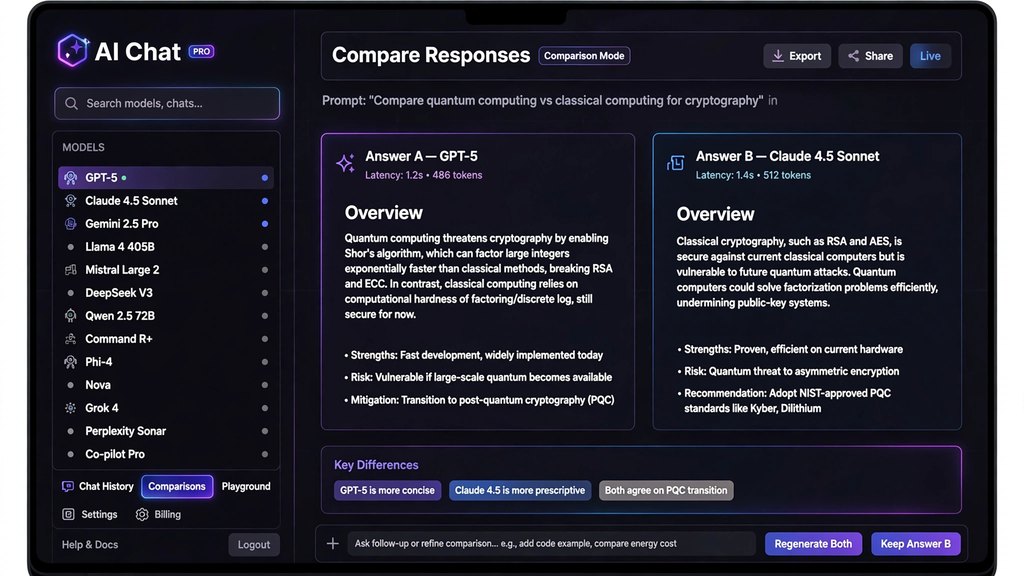
Let me tell you what testing this dashboard actually felt like. My first test was a sales email. I gave the same brief to Claude Sonnet 5 and GPT-5.5 Pro, side by side. Claude’s version sounded warm and human. GPT’s version had a sharper hook. I took the hook from one and the body from the other — and got an email better than either model would have given me alone. That is the multi-model advantage, and it is real.
Next, I tested research. Kimi K2 Thinking chewed through a long topic and gave me a deep, organized breakdown, while Gemini 3.5 Flash gave me the same topic’s quick summary in seconds. Then I asked DeepSeek V4 Pro for help with a small automation script, and it handled the logic cleanly. Three different champions, three different jobs, one login — and I never once opened a subscription page.
Reviewers who covered this launch reached the same conclusion I did: for everyday content, marketing, and business work, this dashboard delivers serious value for a very small one-time price. If you also want to see how your brand shows up inside these AI answers, that is a different game — I covered it in my Visby review. But for using the models themselves, Best AI Models is now my daily starting point.
Ways To Make Money With Best AI Models
Because the commercial license is included, this dashboard is not just a tool — it is a small business engine. Here are the income paths I see members using:
- Copywriting services: use Claude and GPT to write sales pages, emails, and ads for clients, and charge per project
- Digital products: create ebooks, courses, and prompt packs with the long-form and research models, then sell them again and again
- Freelance gigs: offer writing, coding help, and content packages on Fiverr and Upwork, delivered faster with 21 models behind you
- Agency services: run content, ads, and social media for local businesses and charge a monthly retainer
- SEO content: publish affiliate articles and niche blogs with research-grade models — this is exactly how I use AI in my own business
One dashboard, one small payment, and this many ways to earn it back — that is why I rate this offer so highly.
Tips for New Members
1. Start with the task cheat sheet. The dashboard shows which model is the champion for each job. Follow it for your first week and you will learn the lineup fast.
2. Always compare two models for important work. For a sales page, email, or script that matters, run two models side by side and merge the best parts.
3. Use the built-in prompts first. The ready-made prompt library gives you strong results from day one, before you learn to write your own prompts.
4. Apply a coupon at checkout. Try BEST35 (35% off) and BEST5 ($5 off) and keep whichever saves you more.
5. Sell a service in week one. With the commercial license, one small client job — an email sequence or a sales page — can pay back your $14.95 many times over.
✅ Visit Best AI Models Official Website Here ►
Frequently Asked Questions
Is Best AI Models really a one-time payment?
Yes. The front-end is $14.95 one-time. There are no monthly fees and no subscriptions. Optional upgrades exist if you want them, but the core 21-model dashboard works fully on its own.
Which AI models are included?
21 elite models: Claude Fable 5, Opus 4.8, Sonnet 5, Opus 4.6, and Sonnet 4.6; GPT-5.6 Sol, GPT-5.5 Pro, GPT-5.5, GPT-5, and OpenAI o3; Gemini 3.5 Flash, 3.1 Pro, 3 Pro, and 2.5 Pro; DeepSeek V4 Pro and V4 Flash; Kimi K2.6, K2.5, and K2 Thinking; GLM 5.2; and Grok 4. Future releases are added automatically.
Do I need technical skills or API keys?
No. Everything is pre-connected inside the dashboard. You just log in, choose a model, and generate. There is no API setup and no technical configuration.
Can I use Best AI Models for client work?
Yes. A commercial license is included, so you can use it for client work, agency services, and freelancing, and keep 100% of the profits.
What if a new AI model comes out next month?
It gets added to your account automatically at no extra cost. That is the future-proof promise at the heart of this product.
Is there a money-back guarantee?
Yes. You are covered by a 30-day money-back guarantee. Try the full dashboard for a whole month, and if you are not thrilled for any reason at all, you simply ask and get a full, hassle-free refund.
Final Verdict
After testing it myself, my verdict is simple: Best AI Models is one of the best-value AI deals I have reviewed this year. One dashboard. 21 elite AI models — Claude, GPT, Gemini, DeepSeek, Kimi, GLM, and Grok — at Pro, Max, and Enterprise-level power. Every future model added free. A commercial license included. And all of it for a one-time $14.95 instead of $500 to $1,000 every month in separate subscriptions.
The AI race is not slowing down, and the people winning it are not the ones who picked one model — they are the ones who can use all of them. Best AI Models puts that power in your hands today, at a price that honestly feels too small for what you get. Click below, lock in your access while the one-time price and coupons are still live, and start creating with the best AI models on Earth — all from one dashboard. I use it every day now, and I recommend it to anyone who wants real AI power without the monthly bills.